Erste Schritte
Karte
Banküberweisungen
Gnosis Pay-Verzögerungswarteschlange leeren
Leeren Sie die Verzögerungswarteschlange Ihrer Karte, wenn Ihre Karte blockiert wird, wenn Sie etwas auf GnosisPay.com versuchen. Hinweis: Dies funktioniert erst mindestens 30 Minuten NACHDEM Sie etwas auf gnosispay.com versucht haben.
Expert Guide
20. November 2025
Steps to clear your cards delay queue
- Open this address in your browser https://app.safe.global/apps/open?safe=gno:[YOURCARDADDRESS]&appUrl=https%3A%2F%2Fzodiac.gnosisguild.orgYou can follow these steps to open it with your card safe:
- Click this link - keep the tab open with the page
- Copy your card Safe address from within Zeal or from Gnosispay.com
- Edit the browser URL in step a) and replace replace [YOURCARDADDRESS] in the URL with your actual address
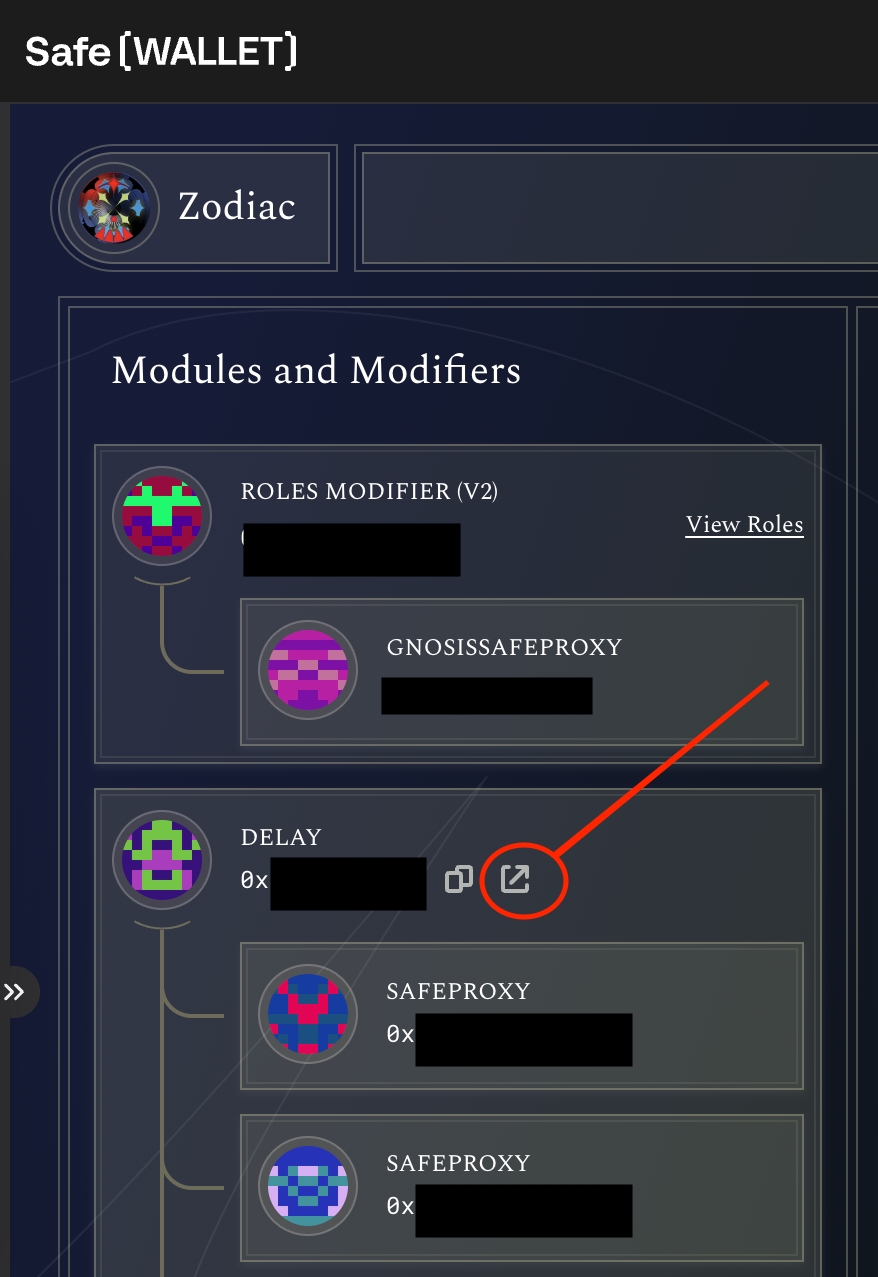
- Open your "delay module" via the link next its address on the left side:
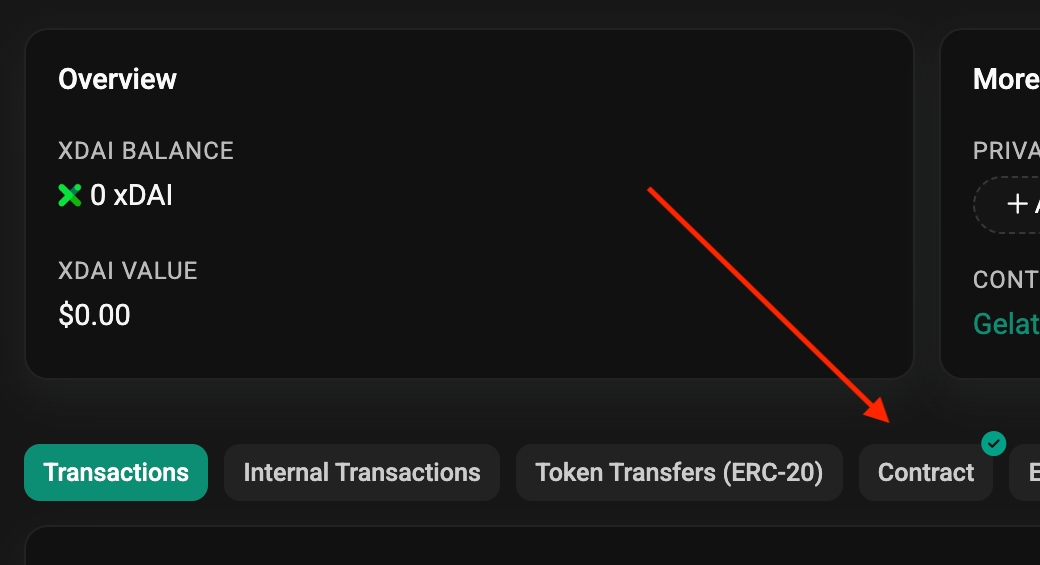
- GnosisScan will open up in a new browser tab. Click the contract tab
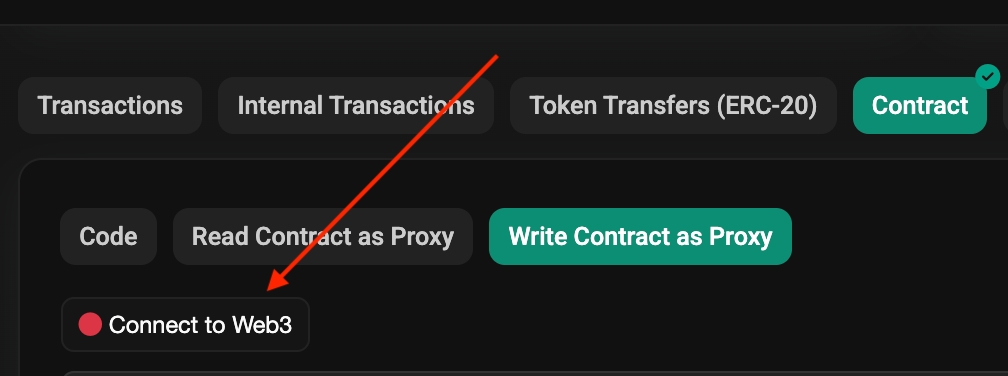
- Connect your web3 wallet. This can be ANY wallet with xDAI on GnosisChain. It does not have to be the wallet that owns the card safe.
- Scroll down to find the skipExpired function at the bottom of the listed functions.
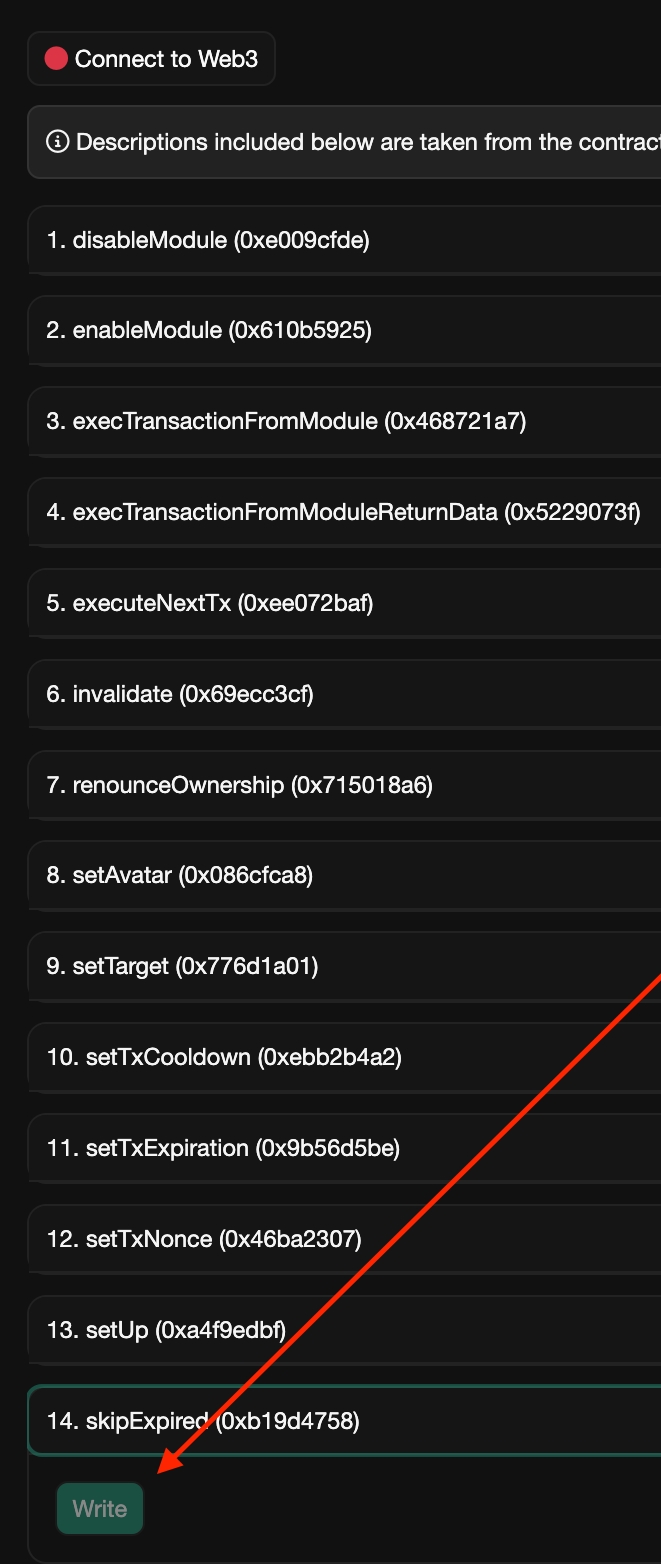
- Click Write and Submit the Transaction - this can be done from any wallet, not just your card owner
- Your card safe's delay queue should now be cleared and you can use your card again.
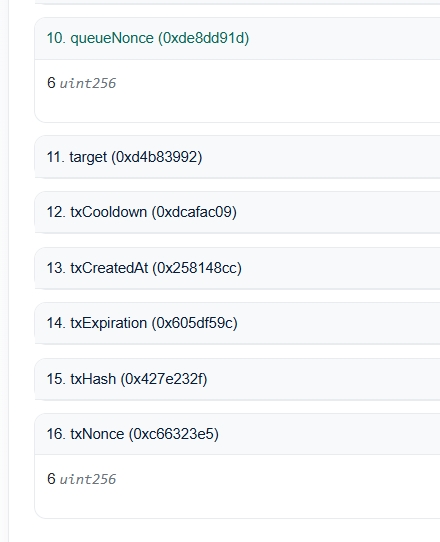
- Verify that your delay queue is cleared by switching to the
Read Contract as Proxytab and comparing the values of function10. queueNonceand16. txNonce. These two values should be the same: