Accesso al conto Earn senza Zeal
Questa è una guida avanzata per accedere al proprio conto Earn senza la scheda Earn di Zeal. Non è destinata ai principianti.
Gli asset in Earn sono conservati in sottoconti.
These are separate smart contract accounts on the blockchain that allows users to store assets in an account with limited permissions - such as being used for recharging the Gnosis Pay card. Earn subaccounts are controlled by the smart wallet or legacy/EOA wallet that the user used initially to create it. Subaccounts are not portable and are permanently owned by the original creator.
This is an expert guide for how to access your Earn account without the Zeal Earn tab. It is not meant for beginners.
- Comfortable using block explorers like Gnosis Scan
- Ability to handle token decimals
Recupero dell'indirizzo del sottoconto Earn
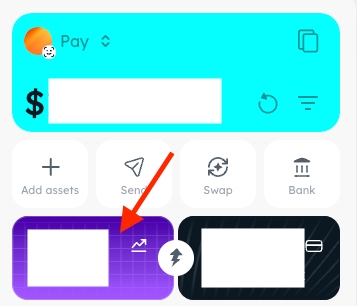
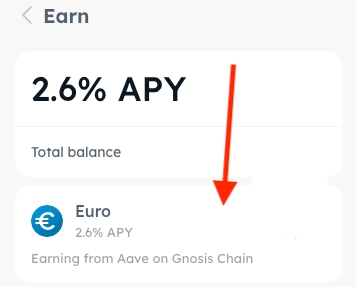
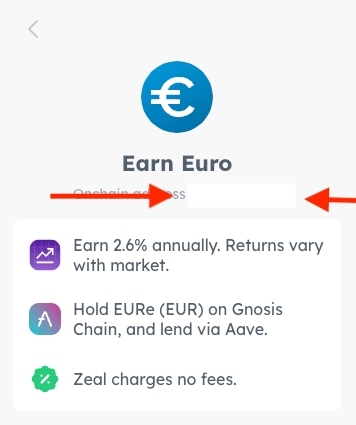
Clicking this link will open your Earn subaccount address in Gnosisscan. This is the address that holds your investment assets (e.g. sDAI, aaGnoEURe, wstETH). You can add this address to Zapper / Debank / whatever to see your DeFi position.
Verifica degli asset del sottoconto tramite block explorer
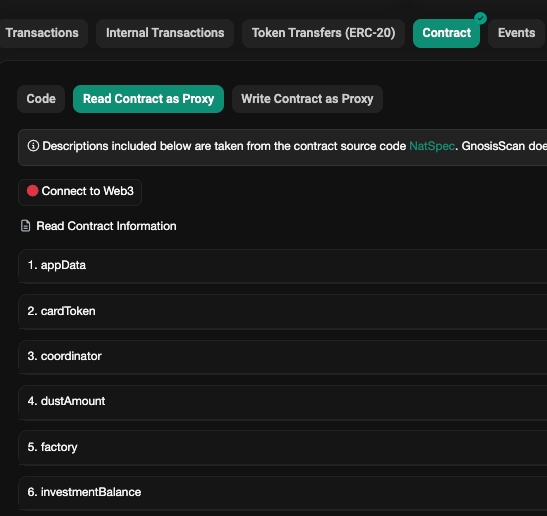
Switch to the Contract page and then to Read Contract as Proxy
At the bottom of this page you can see the investmentBalance of your Earn subaccount. This is how many of the investment tokens are sitting in your account:
Prelievo degli asset del sottoconto Earn tramite block explorer
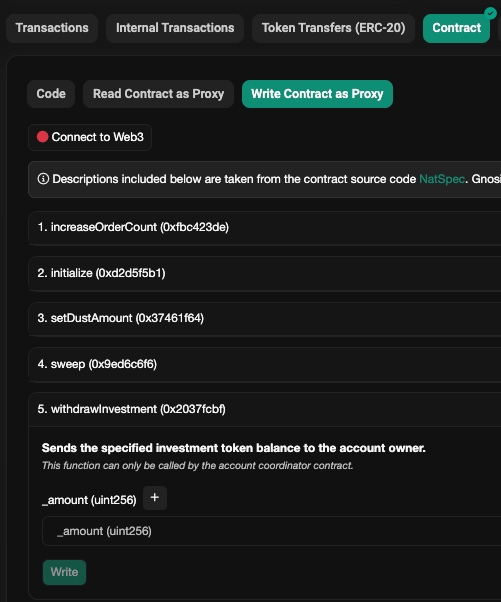
Switch to the Contract page and then to Write Contract as Proxy subpage.
Function 5. withdrawInvestment allows you to withdraw assets from the subaccounts specified in the number of the asset. You can the total number of the asset that you have in the previous step.
This transaction must be submitted by the owner of the subaccount. If the owner of the subaccount is a Smart wallet and you don't have access to Zeal - then you must first recover your smart wallet as a Safe.